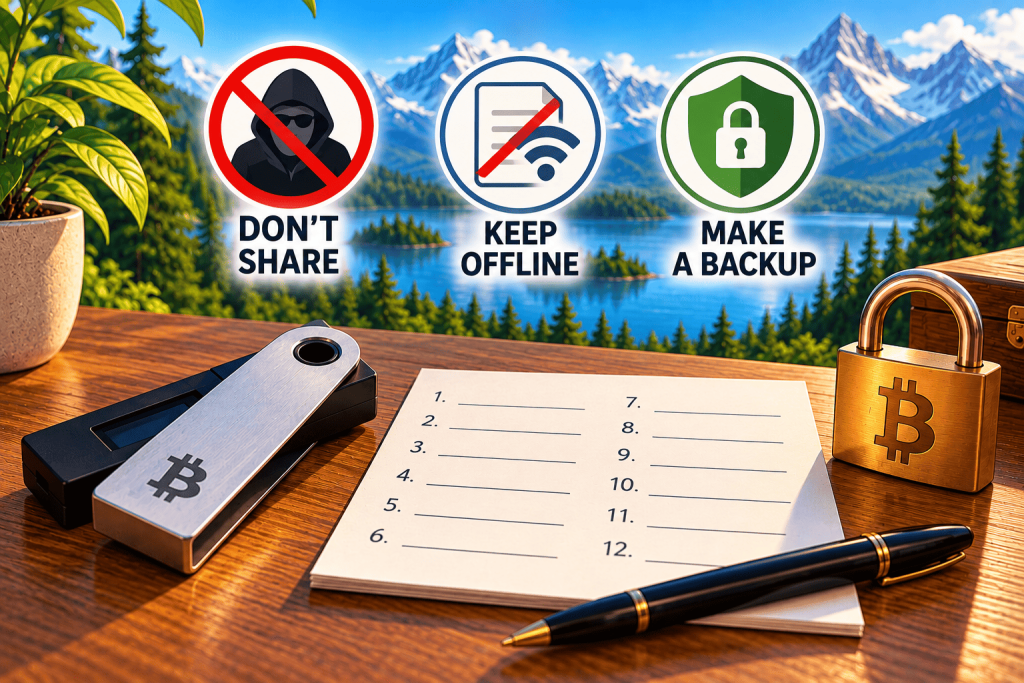

Bitcoin seed phrase security with a hardware wallet, offline backup sheet, and protection against scams

Bitcoin Seed Phrase: What It Is, How to Store It, and Mistakes to Avoid

A Bitcoin seed phrase is one of the most important parts of wallet security. If your phone breaks, your hardware wallet gets lost, or your device stops working, your seed phrase can help you recover access to your Bitcoin.

However, there is also a serious risk: if someone else obtains your seed phrase, they may be able to access and steal your funds.

In this article, we’ll explain how a Bitcoin seed phrase works, how to store it safely, and which common mistakes you should avoid.

What Is a Bitcoin Seed Phrase?

A seed phrase, also called a recovery phrase, is a sequence of words, usually 12 or 24, used to restore a cryptocurrency wallet.

Many wallets generate recovery phrases using the BIP39 standard. The words come from a predefined list and must be recorded in the correct order.

A wallet can derive private keys from the seed phrase. These keys allow you to control and spend your Bitcoin.

Importantly, Bitcoin is not stored inside your wallet device or seed phrase. Your Bitcoin exists as records on the blockchain, while your wallet manages the keys needed to spend it.

Why Do You Need a Seed Phrase?

Imagine buying a hardware wallet, transferring Bitcoin to it, and discovering several years later that the device no longer works.

If you still have your seed phrase, you can usually restore your wallet on a compatible device or suitable wallet software.

A seed phrase can help when:

  • Your hardware wallet is lost or damaged.

  • You replace your smartphone or computer.

  • Your wallet device stops functioning.

  • You move to another compatible wallet.

However, complete recovery may require additional information, such as a BIP39 passphrase if you used one, or the correct wallet type and derivation path.

The key principle: hardware can be replaced, but a lost seed phrase generally cannot be recovered from memory or by contacting customer support.

How to Store Your Bitcoin Seed Phrase Safely

1. Write Down Your Recovery Words

When creating a wallet, carefully write down every recovery word in the correct order.

Check each word and its position. Even a small mistake may prevent successful wallet recovery.

Never invent your own seed phrase. Use the secure generation process provided by a trusted wallet.

2. Keep Your Backup Offline

Avoid storing your seed phrase in cloud services, email accounts, smartphone notes, or messaging apps.

You should also avoid taking photographs or screenshots of your recovery words.

Even password-protected accounts can be compromised, and malicious software may gain access to sensitive information.

A physical backup that is not connected to the internet is generally safer.

3. Protect Your Backup From Physical Damage

Paper can be damaged by fire, water, or deterioration over time.

For long-term Bitcoin storage, some users choose metal backup plates designed to withstand harsh conditions.

However, the strength of the material is only one part of security. You must also consider who might gain physical access to the backup.

4. Consider Multiple Backup Locations

Keeping two physical copies in separate secure locations can reduce the risk of losing your only backup.

However, every additional complete copy creates another possible point of theft.

Your backup strategy should balance protection against physical damage with protection against unauthorized access.

Five Common Seed Phrase Mistakes

Mistake #1: Saving Your Seed Phrase on Your Phone

Photos, notes, and cloud backups may be exposed through malware or compromised accounts.

Mistake #2: Sharing Your Recovery Words

Legitimate hardware wallet manufacturers, exchanges, and support teams should never ask you to reveal your seed phrase.

Mistake #3: Keeping Only One Backup

If your only written copy is destroyed, you may permanently lose access to your Bitcoin.

Mistake #4: Recording Words in the Wrong Order

The order matters. Number each word and carefully verify your backup when setting up the wallet.

Mistake #5: Entering Your Seed Phrase on a Suspicious Website

Scammers create fake wallet recovery websites. Entering your recovery phrase on such a site may allow attackers to steal your Bitcoin immediately.

Seed Phrase vs. PIN: What's the Difference?

A PIN typically protects access to a particular device or wallet application.

A seed phrase allows the wallet’s keys to be restored independently of that device’s PIN.

Therefore, even a strong PIN cannot protect your Bitcoin if an attacker obtains your seed phrase and any other required secrets.

If you use an additional BIP39 passphrase, you must also store it securely. Losing that passphrase can make the corresponding wallet inaccessible even if you still have the correct seed phrase.

How to Verify Your Seed Phrase Backup

Some hardware wallets offer a built-in feature to check whether your recovery words were recorded correctly.

Follow the manufacturer’s official instructions and perform the verification directly on a trusted device when supported.

Never enter your seed phrase into a random online verification tool.

Checking your backup early can help identify recording mistakes before you actually need to recover your wallet.

What If Someone Gets Your Seed Phrase?

If you suspect your seed phrase has been exposed, treat the associated wallet as compromised.

Create a new wallet with a new seed phrase using a trusted device, then transfer your Bitcoin to the new wallet after carefully verifying the receiving address.

Do not reuse the compromised recovery phrase.

If your Bitcoin has already been stolen, a confirmed Bitcoin transaction generally cannot be reversed.

Conclusion

✅ A Bitcoin seed phrase is the foundation of self-custody. It allows you to recover access to your funds if a device is lost, but it also requires careful protection.

✅ Write down your recovery words accurately, keep them offline, protect them from damage, and never share them with anyone.

✅ With Bitcoin, controlling your own keys means greater financial independence — and personal responsibility for keeping your funds secure.

✅ This article is for educational purposes only. Backup and recovery procedures may vary depending on the wallet you use.

Support the Project

HodlAtlas is free, ad-free, and has no affiliate links to exchanges — the site runs on voluntary donations from people who found the tools useful. If you'd like to support its development, you can send any amount in Bitcoin.

Lightning address hodlatlas@walletofsatoshi.com